Objective: Let's perform calculation (sum of two numbers) by calling API exposed from Blue Prism Sever.
We should bifurcate this work in smaller tasks so that implementation could be visible possible. Here are smaller tasks:
Task 1:
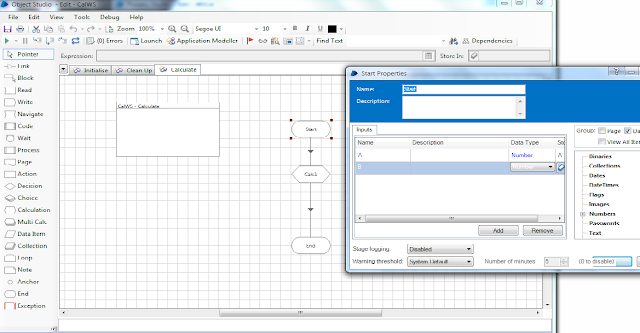
This is an object accepting two numbers and stage "Calc1" is performing summation of those two numbers and returning this in END stage.
Task 2:
Let's create a process which accepts two numbers as input so that any one calls it can pass two numbers to calculate.
Addition Stage is calling object we created above by passing both numbers we would get from THE API call.
Note: Ignore Email stage as I wrote to check if summation has happened when ever API is called.
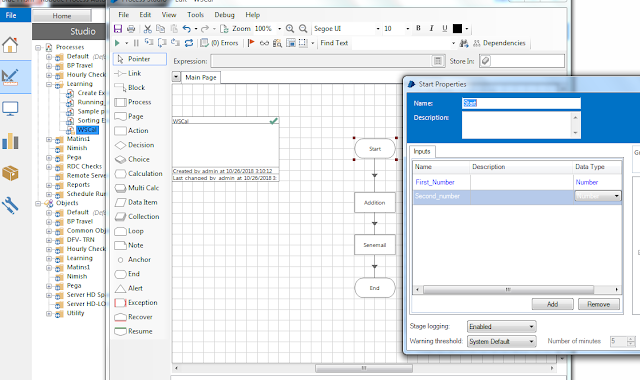
We must pass result as an output so that whoever is calling this API must get an expected result of summation. Don't forget to publish this process!

Task 3:
Go to System Manager and go to Exposure underneath Processes. You must expose process as I have exposed WSCal process which will perform summation as explained in Task 2.

Note: You must pass Blue Prism credentials to access API.

Feel free to ask questions.
We should bifurcate this work in smaller tasks so that implementation could be visible possible. Here are smaller tasks:
- Create an object performing Summation of two numbers
- Object must be accepting two numbers as two inputs in start
- Object must return result as summation
- Create a Process calling above created object
- Process must be accepting two numbers as two inputs in start
- Process must return result as summation
- Publish this process
- Expose Process as an API
Bingo! looks this must fulfill the process.
Task 1:
This is an object accepting two numbers and stage "Calc1" is performing summation of those two numbers and returning this in END stage.

Task 2:
Let's create a process which accepts two numbers as input so that any one calls it can pass two numbers to calculate.
Addition Stage is calling object we created above by passing both numbers we would get from THE API call.
Note: Ignore Email stage as I wrote to check if summation has happened when ever API is called.

We must pass result as an output so that whoever is calling this API must get an expected result of summation. Don't forget to publish this process!

Go to System Manager and go to Exposure underneath Processes. You must expose process as I have exposed WSCal process which will perform summation as explained in Task 2.

Finally we need to check if exposed API works or not. You can check XML by clicking https://localhost:8181/ws this will list all Objects and Processes exposed from BP server. Make sure you have port entry in hosts file.
Now target is to very our API.
I have installed SoapUI application to test API exposed. I am skipping this whole process of installing and configuring API however let's jump on to result. I have passed two values 56, 34 as displayed in following image and gives result at right hand side as 90.

Feel free to ask questions.